Name your teammates.
Give each Bot instructions and an avatar. Several Bots can use the same Agent without becoming the same teammate.
Give your agents a name, a shared workspace, and a desktop you can see.
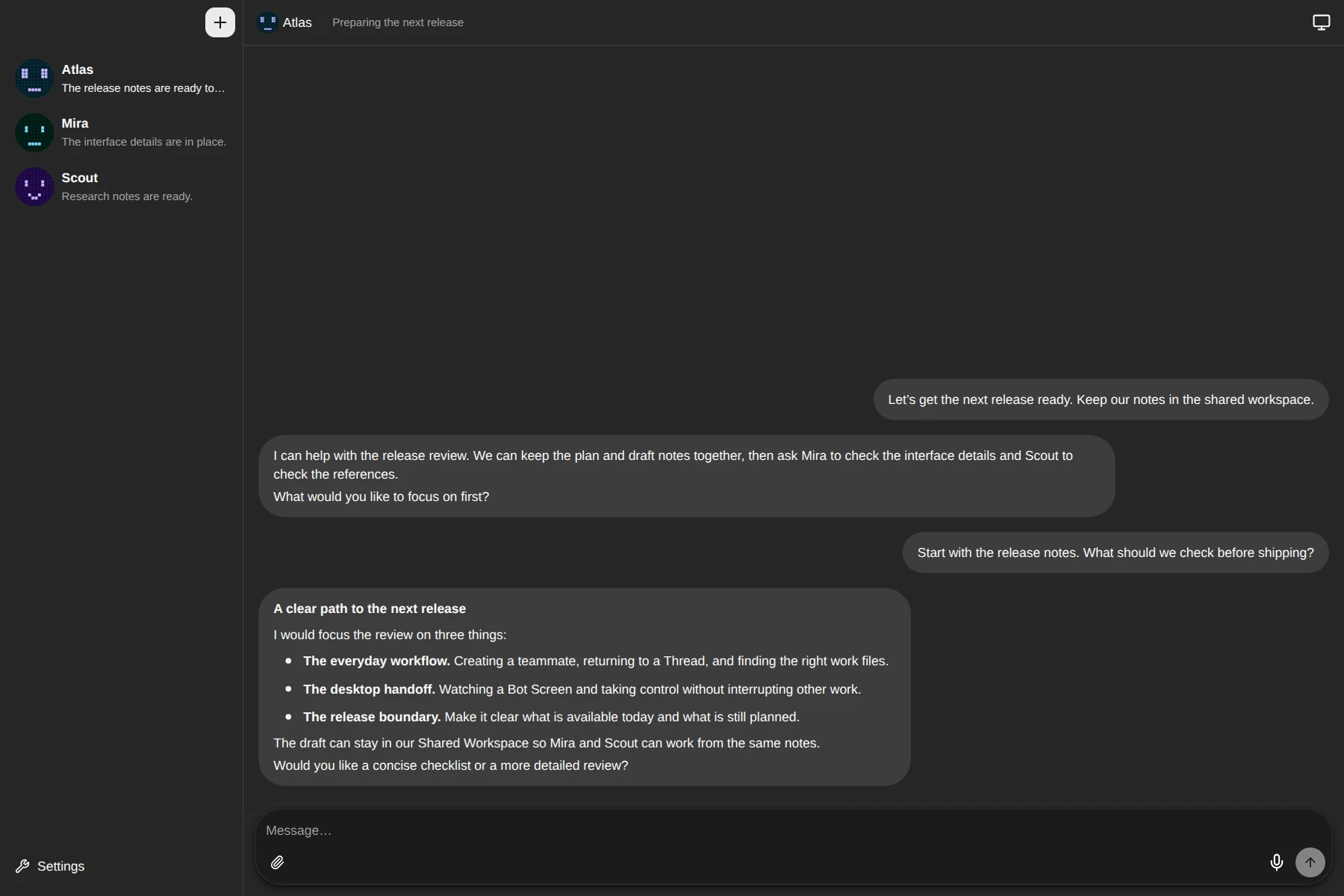
A workspace for agents.
Not another chat tab.
Keep a research partner, a builder, or a reviewer close. Each Bot has its own identity and conversations.
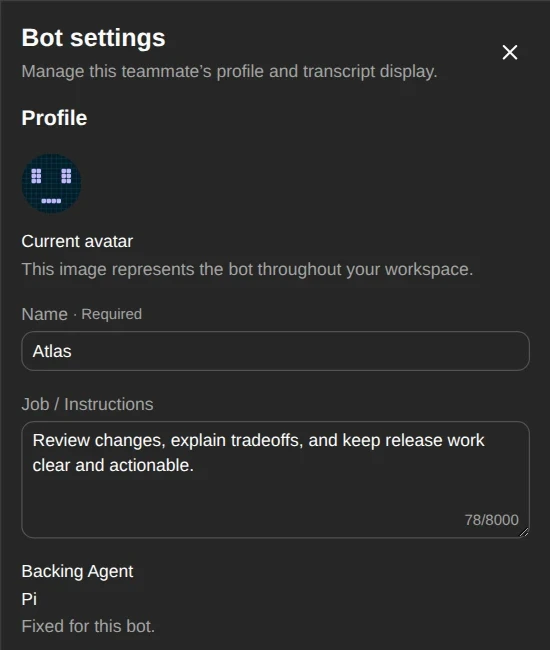
Give each Bot instructions and an avatar. Several Bots can use the same Agent without becoming the same teammate.
Responses, Thinking, and Tool Calls stay in order. Choose what to display without discarding the conversation.
Bot-to-Bot mail hands a message to another teammate in its own Thread, without copying the source conversation.
Work in one common directory. Follow desktop activity through the client, and take control when you need to.
Bots default to ~/.omarchy-bot/workspace. Deleting
a teammate doesn't delete your shared work files.
Bot Screens run inside a private Bot Computer, separate from your Host Session. Closing the viewer doesn't stop its applications.
Plugins
Browse and install Skills across your Bots. Service account connections are not publicly available yet.
Choose a service, connect an account, and let your Agent use its tools. Multiple accounts, without hardcoded task routing.
Browse skills.sh, install a skill, and keep it up to date. Let your Agent discover it, or choose it from a slash menu.
Explore skills.shSkills are ready to use in the Bot Client. Service account connections and the Tauri desktop client are not publicly available yet.
Already on Omarchy? Install the plugin with its official plugin manager.
Installation guideomarchy plugin add https://github.com/XMethues/omarchy-bot.git --enableUse the command above to install and enable the plugin.
Other Linux distributions are not currently supported. Model-provider usage is billed separately by your provider.
No. The daemon, Agent workers, and Bot Computer run on your Omarchy machine. Your Agent may still use cloud model providers, so local execution does not mean all data stays offline.
Pi is the currently implemented backend. Other Agents need their own adapter and verified capability support before they become selectable. The future Tauri client is not a separate execution backend.
Use Plugins in the Bot Client to search and install Skills. Service account connections are not available yet. These public pages never connect to your local daemon.
The current daemon has no application authentication. Anyone who can reach it may control Bots and their screens. Do not treat it as a secure remote-access service; client authentication is required before public release.
Its plugin-owned records and targeted Screen runtime are removed. Shared Workspace files, Agent-owned Native Sessions, and shared Bot Computer application state are preserved.
The source is available under the MIT license. Your model provider and any third-party services you use may charge separately. There is no hosted subscription checkout on this website.